Frequently Asked Questions
Unit Tests
How do I generate a unit test?
Use the RoostGPT Web UI, CLI, or VS Code extension:
- Web UI — Open a test suite and click Generate Test in the top-right corner. The Activities panel tracks each run.
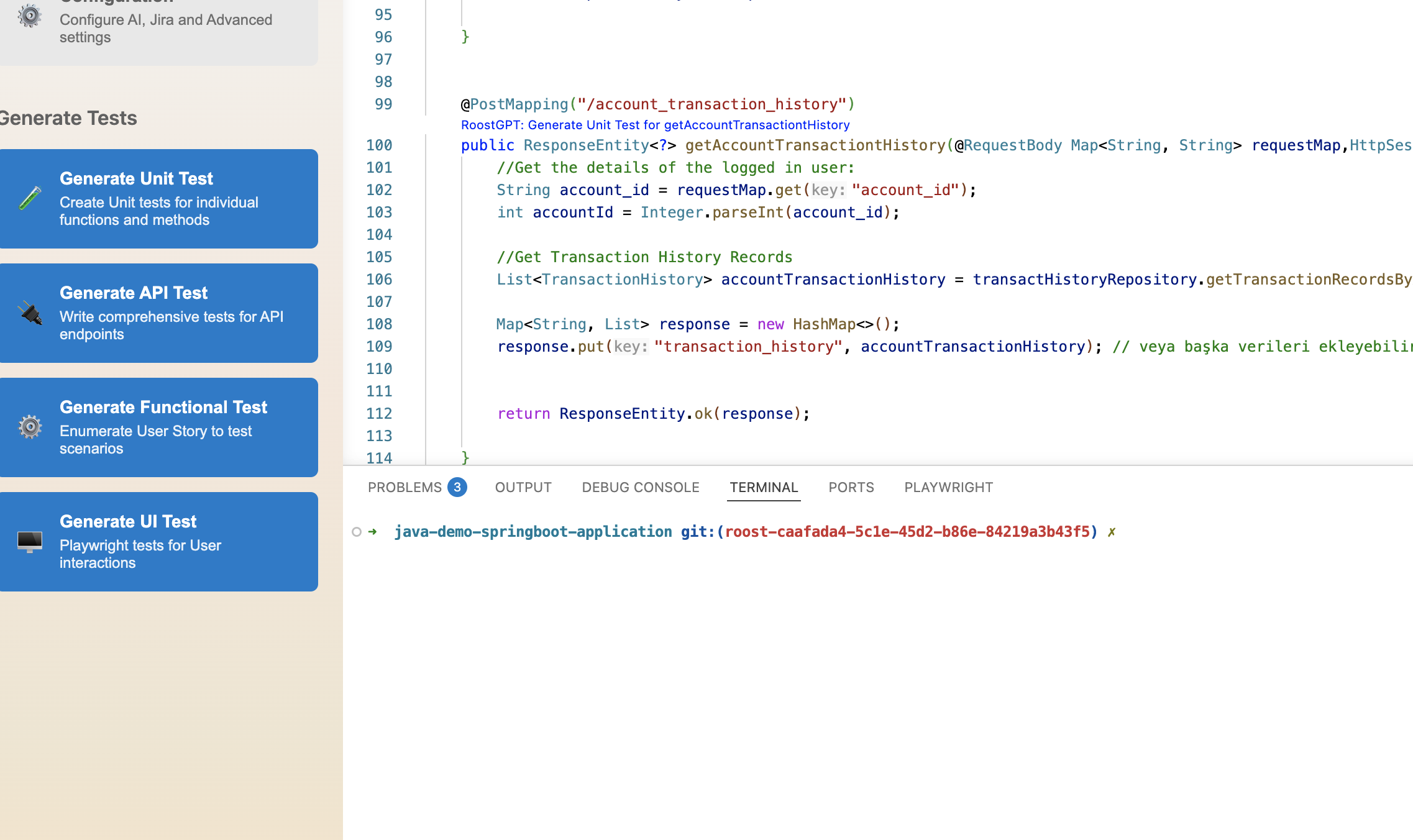
- VS Code — Open the RoostGPT panel and click Generate Unit Test, then select your language, framework, and build tool.
- CLI — Set
TEST_TYPE=unitin your.envfile and runroostgpt test create -c your-test.env.
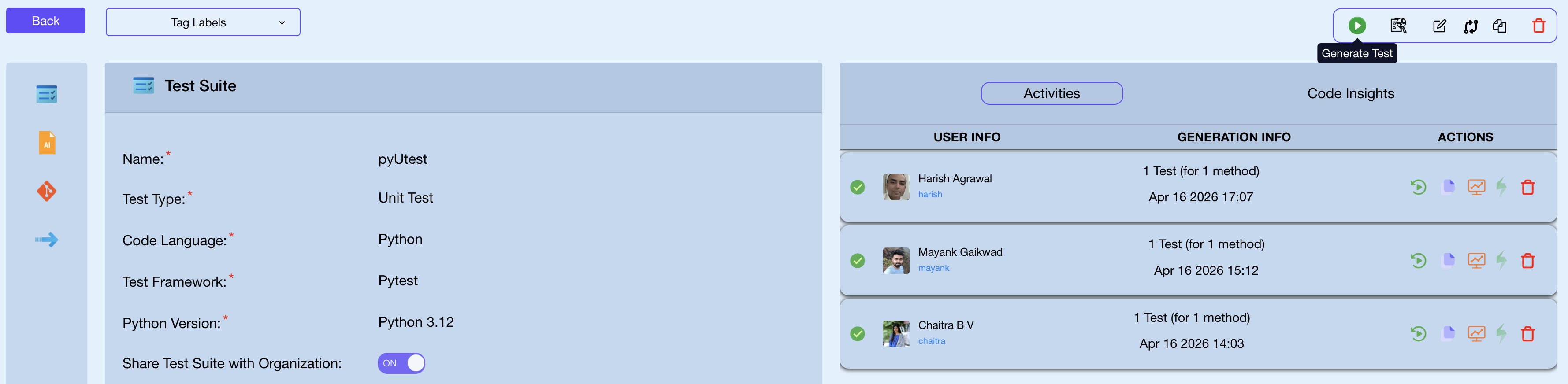
See Quickstart for a full walkthrough of each interface.
What programming languages are supported?
RoostGPT supports Java, Python, Go, and C#. See Unit Test Generation for the full framework matrix.
Why do I need to select a language version and build tool?
The language version and build tool determine which test framework version and dependency syntax to use. For example, JUnit 5 on Maven requires different pom.xml entries than JUnit 4 on Gradle. Selecting the correct combination ensures generated tests compile immediately.
Can I generate a unit test for a single function/method?
Yes — there are three ways to scope generation to specific functions:
VS Code — Place your cursor inside the function you want to test. The RoostGPT panel detects the function in focus and scopes generation to that method only.
Web UI — In the test suite configuration, use the Functions to Test field to enter a comma-separated list of function names. Leave it empty to generate tests for all functions in the source.
CLI — Set FUNCTIONS_TO_TEST in your .env file with a comma-separated list using the format module.[class.]method:
FUNCTIONS_TO_TEST=PaymentService.processPayment,PaymentService.refund
See CLI Reference for the full variable details.
Do I need to provide additional context for unit test generation?
Not required, but recommended for complex classes. Providing a Jira story or requirements document via ROOST_USER_INPUT_FILE gives the AI business context that improves test relevance and coverage.
What if my project is incomplete?
RoostGPT can generate tests for any compilable code. Incomplete projects may produce tests with missing dependencies — use the improvement sidebar to refine.
Do the generated tests compile?
Yes. RoostGPT compiles tests after generation. If a test fails to compile, it automatically iterates and attempts to fix it. Files that cannot be fixed after max retries are renamed .java.invalid.
How do I list vulnerabilities with my code?
RoostGPT focuses on test generation, not static analysis. For vulnerability scanning, use tools like Snyk, SonarQube, or OWASP Dependency-Check alongside RoostGPT.
How do I request support for a language not listed?
Contact support@roost.ai or raise a request through the web UI.
API Tests
While running RoostGPT CLI, I get questions about BASE_URL and AUTH_TOKEN — what do they mean?
Please enter the alias name for the api spec: weather.yaml: url1_weather
✔ Do you want to provide the url1_weather_BASE_URL? (default: Yes). No
✔ Do you want to provide the url1_weather_AUTH_TOKEN? (default: Yes). No
- Alias name — a unique identifier for this API spec when multiple specs are in the same project. Accept the default.
- BASE_URL — the live API server URL. If skipped, RoostGPT spins up a Prism mock server automatically.
- AUTH_TOKEN — authentication token for the live server. Skip for mock server usage.
Providing a live server + auth token enables validation against real API responses and produces more accurate internal reports.
Where can I see the generated Postman collection and test data files?
# For local or CLI runs:
cd <LOCAL_PROJECT_FOLDER>
find postman_collections/ -ls

# For GitOps mode:
# Look for a Pull Request in your Git repository
Functional Tests
See Functional Test Generation for the full workflow guide.
UI Tests
How do I generate UI tests?
Use the RoostGPT Web UI with TEST_TYPE=ui-test, the CLI with TEST_TYPE=ui-test and TEST_FRAMEWORK=playwright, or the standalone UI Test Generator binary. The standalone tool uses the analyze command: ./RoostUITestGenerator --config config.env analyze.
What AI providers support UI testing?
OpenAI (AI_TYPE=openai), Azure OpenAI (AI_TYPE=azure_open_ai), Google Gemini (AI_TYPE=gemini), and AWS Bedrock (AI_TYPE=bedrock_ai) are supported. See AI Provider Support for models.
Can I test applications behind a login?
Yes. UI Test Generator supports embedded login forms (LOGIN_TYPE=embedded_login), Google OAuth (LOGIN_TYPE=google), Okta SAML (LOGIN_TYPE=okta), and custom Playwright login scripts (PLAYWRIGHT_LOGIN_SCRIPT). OTP/MFA is handled via UI_OTP_SECRET. See Authentication.
Can I describe tests in plain English instead of using auto-discovery?
Yes. Create .md or .txt files describing your test scenarios and use the run-scenarios command with USER_SCENARIO_FILE_PATH pointing to your files. See Natural Language Tests.
Can I import my existing Playwright tests?
Yes. Use the scan command: ./RoostUITestGenerator --config config.env scan --test-dir /path/to/tests. It reads your existing tests, identifies coverage gaps, and registers them in .roost/metadata.json so future exploration focuses on what is missing. See Self-Healing & Learning.
How does self-healing work?
Use the self-heal command. It runs a flakiness check (3x), attempts a quick fix, then re-runs the workflow against the live application. The system diagnoses root cause — selector drift, workflow change, code bug, or navigation failure — and repairs or regenerates accordingly. See Self-Healing & Learning.
What output formats are available?
Each run produces Playwright .spec.js files, POM classes in pom_tests/pom/, PDF reports with screenshots in scenarios/reports/, markdown summaries in scenarios/summaries/, and structured JSON scenario data. See Reports & Output.
How do I track AI costs for UI testing?
Token usage is tracked automatically (ENABLE_TOKEN_TRACKING=true by default). Costs are recorded per phase (exploration, generation, healing) in .roost/metadata.json and displayed at the end of each run. See AI Providers & Cost Tracking.
See UI Test Generation for the full feature overview and configuration guide.
Common Questions
What does "Share Test with Organization" mean?
When this toggle is on, the test suite's configuration — connectors, framework settings, repository — becomes visible and reusable by all members of the same project. The current project name is shown in the top-left header of the Web UI.
What do the Integration Options (Jira, Azure DevOps, xRay) do?
- Jira / Azure DevOps: Link a user story so the AI considers its requirements during test generation, improving contextual accuracy. Provide your email, host name, access token, and the Jira ID(s) to pull in.
- xRay: After a Functional Test is generated (producing a Gherkin
.featurefile), it can be uploaded to xRay to create Test entries in your test management tool.
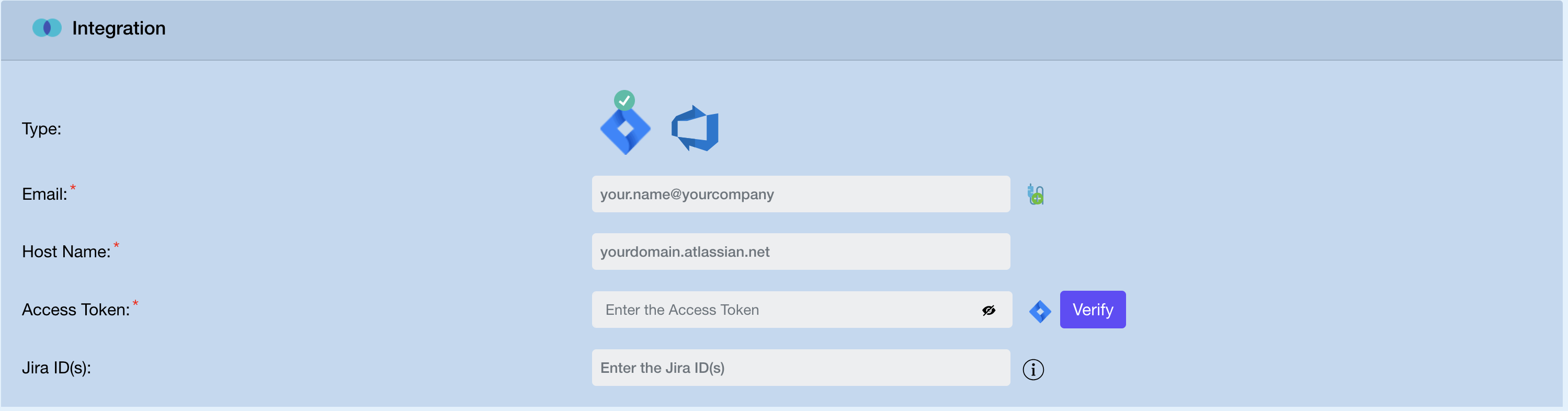
See Jira Integration for step-by-step setup.
What are Advanced Options?
- Roost User Input Type:
file(a.docx,.pdf,.txt) ortext(plain text input) - Roost User Input File / Text: The file path or text content — used alongside your code or API spec to give the AI additional context
What is User Language?
If your input documents are in a language other than English, select that language here. RoostGPT will consider it for both input processing and output generation.
When do I get notified?
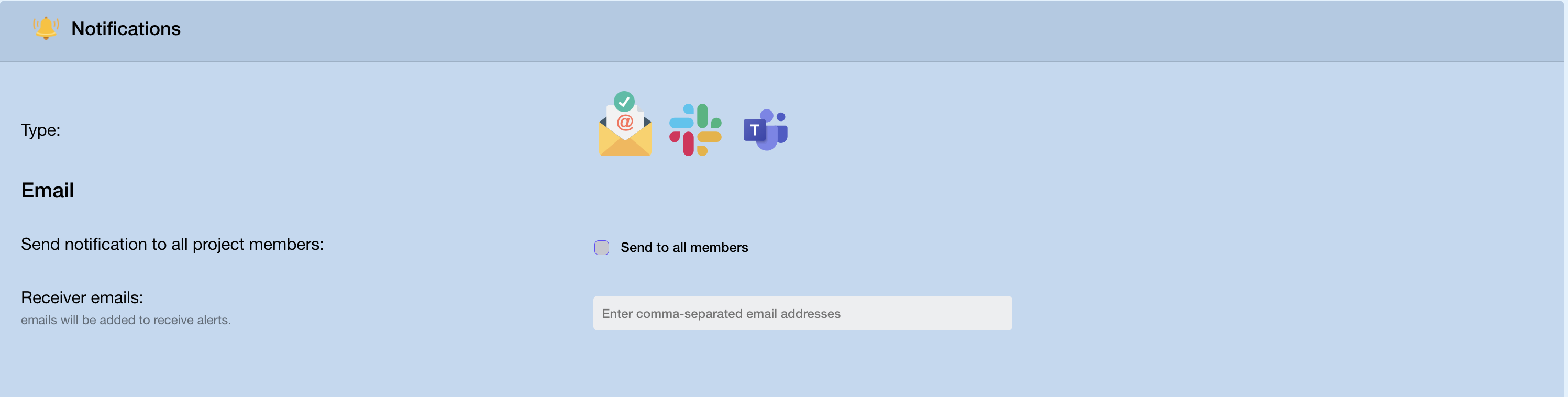
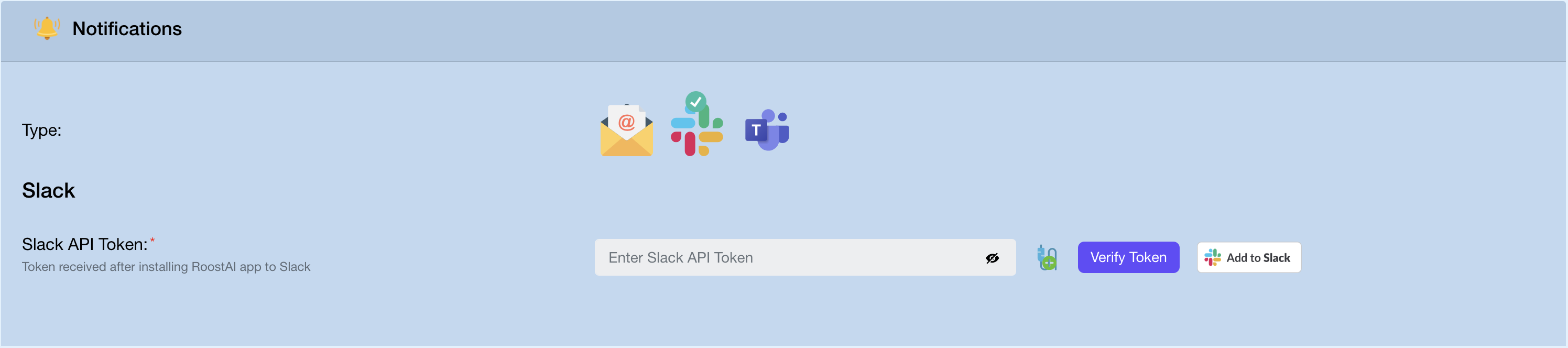
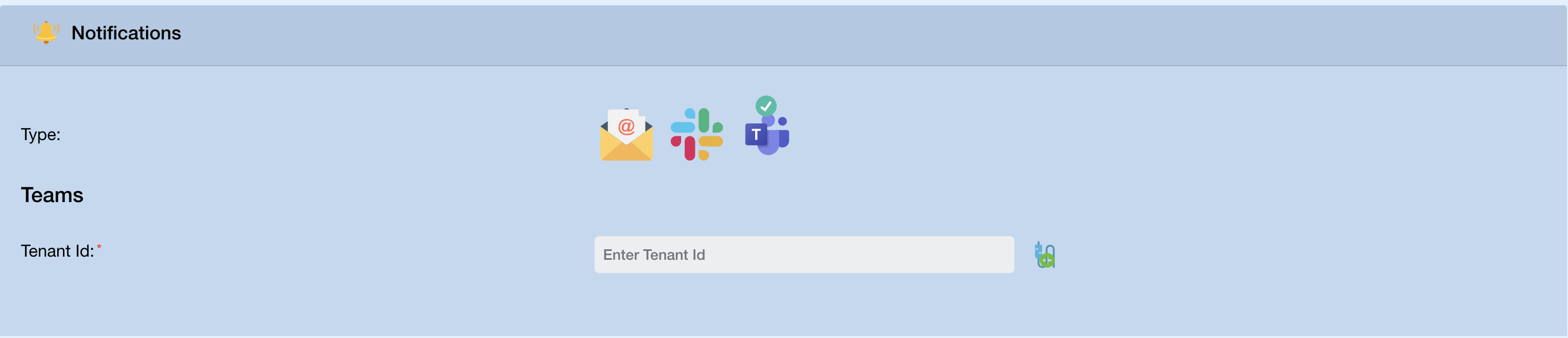
Notifications are sent when test generation completes, fails, or a Pull Request is created. Configure them directly inside the test creation window in the Notifications section. Three channels are supported:
Email — notify all project members or a specific list of addresses.
Slack — enter your Slack API Token (received after installing the RoostAI app to your workspace) and click Verify Token.
Microsoft Teams — enter your Teams Tenant ID.
See Notifications for detailed setup instructions.
AWS Bedrock
How do I attach Bedrock permissions to a user or role?
- In IAM, open your user or role → Permissions tab
- Click Add permissions → Add AWS managed policy
- Search for and attach
AmazonBedrockLimitedAccess
Reference: AmazonBedrockLimitedAccess
For the custom minimal policy, see AWS Bedrock Configuration.
What does Bedrock cost for RoostGPT?
See the AWS Bedrock pricing table for per-token costs and typical token usage by test type.
Does the hosted stack cache AI responses?
Yes. The hosted RoostGPT Web UI stack caches AI responses in its database, avoiding repeat calls for identical inputs. The CLI and VS Code extension do not have this cache.