Artifacts Detailed View
Clicking any file link in the Artifacts tab 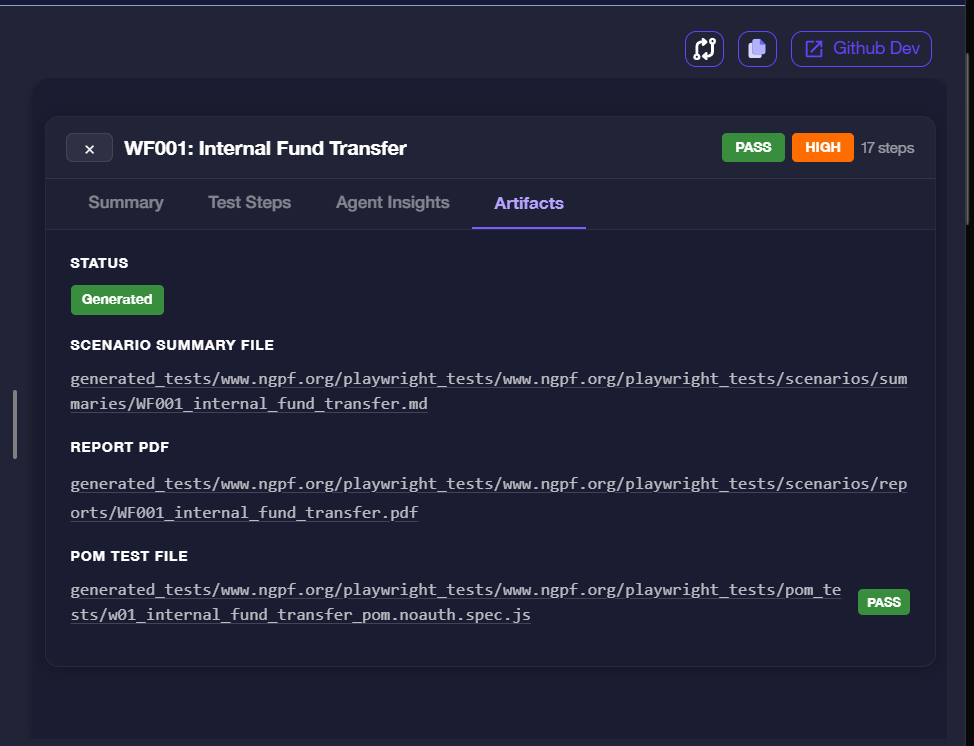 and it opens the Artifacts Detailed View — a full-screen file browser for all generated outputs across every workflow in the run.
Layout
The view has three areas:
| Area | Description |
|---|---|
| Left sidebar | Collapsible tree of all workflows, each listing its generated files |
| Center viewer | Renders the selected file — markdown, code, or PDF |
| Right panel | Feedback controls for .spec.js files (not shown for PDFs and .md) |
Use the Back button in the top-left to return to the Insights workflow list.
File Tree (Left Sidebar)
The sidebar groups files by workflow. Expand a workflow to see its artifacts:
WF###_<workflow_name>.md— Scenario summary fileWF###_<workflow_name>.pdf— Workflow exploration report PDFw##_<workflow_name>_pom.noauth.spec.js— Playwright POM test file
Click any file to load it in the center viewer. The currently selected file is highlighted.
Scenario Summary File (.md)
Selecting the .md file renders the scenario summary as formatted markdown.
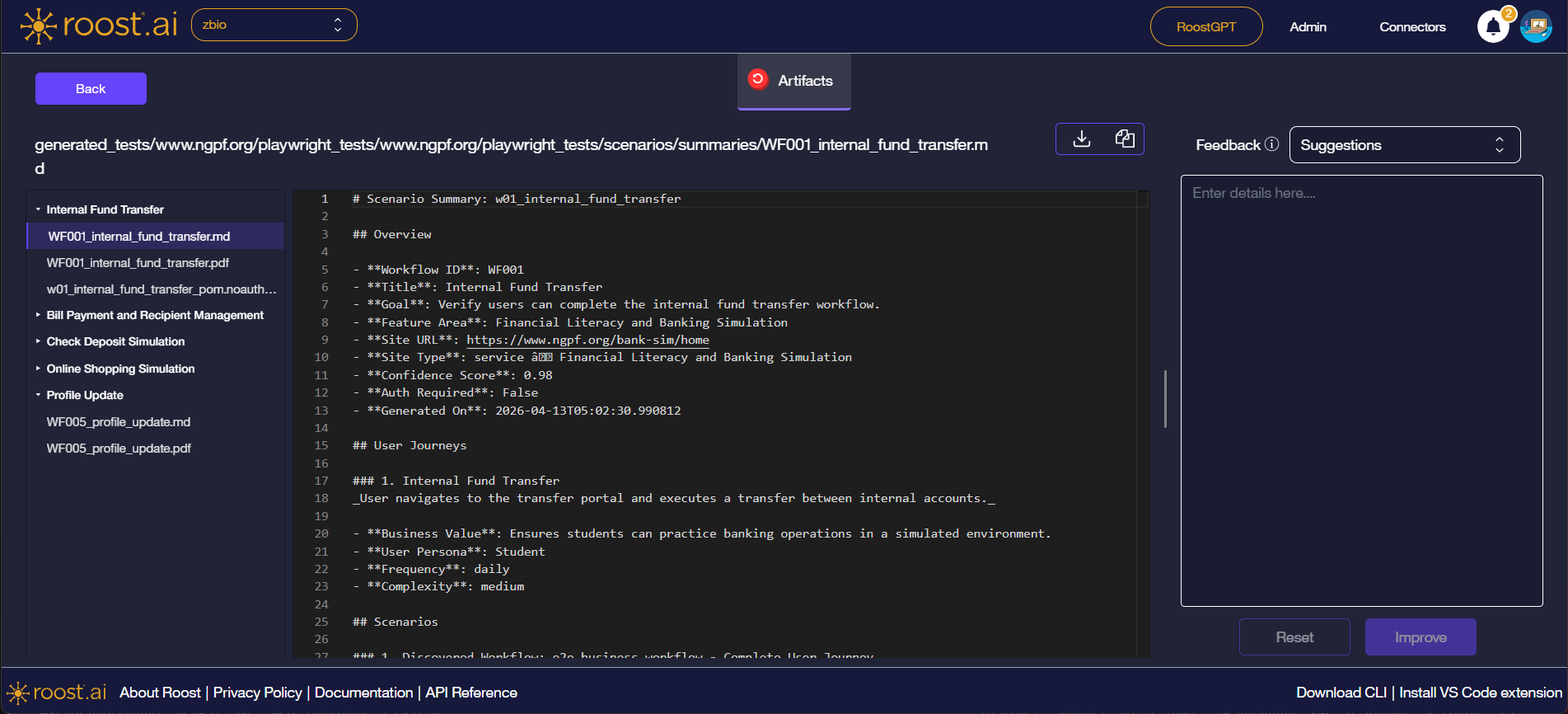
The summary includes:
| Field | Description |
|---|---|
| Workflow ID & Title | Identifier and human-readable name |
| Goal | What the workflow was designed to verify |
| Feature Area | The product area the workflow belongs to |
| Site URL & Site Type | The URL the agent tested and the type of site |
| Confidence Score | The agent's confidence that the workflow was executed correctly (0–1) |
| Auth Required | Whether the workflow required authenticated access |
| Generated On | Timestamp of when the artifacts were produced |
| User Journeys | Narrative descriptions of each user journey, including business value, user persona, frequency, and complexity |
| Scenarios | The discovered e2e scenarios the agent executed |
Use the Download (↓) or Copy (⧉) buttons in the top-right of the viewer to export the file.
Workflow Exploration Report (.pdf)
Selecting the .pdf file opens an inline PDF viewer.
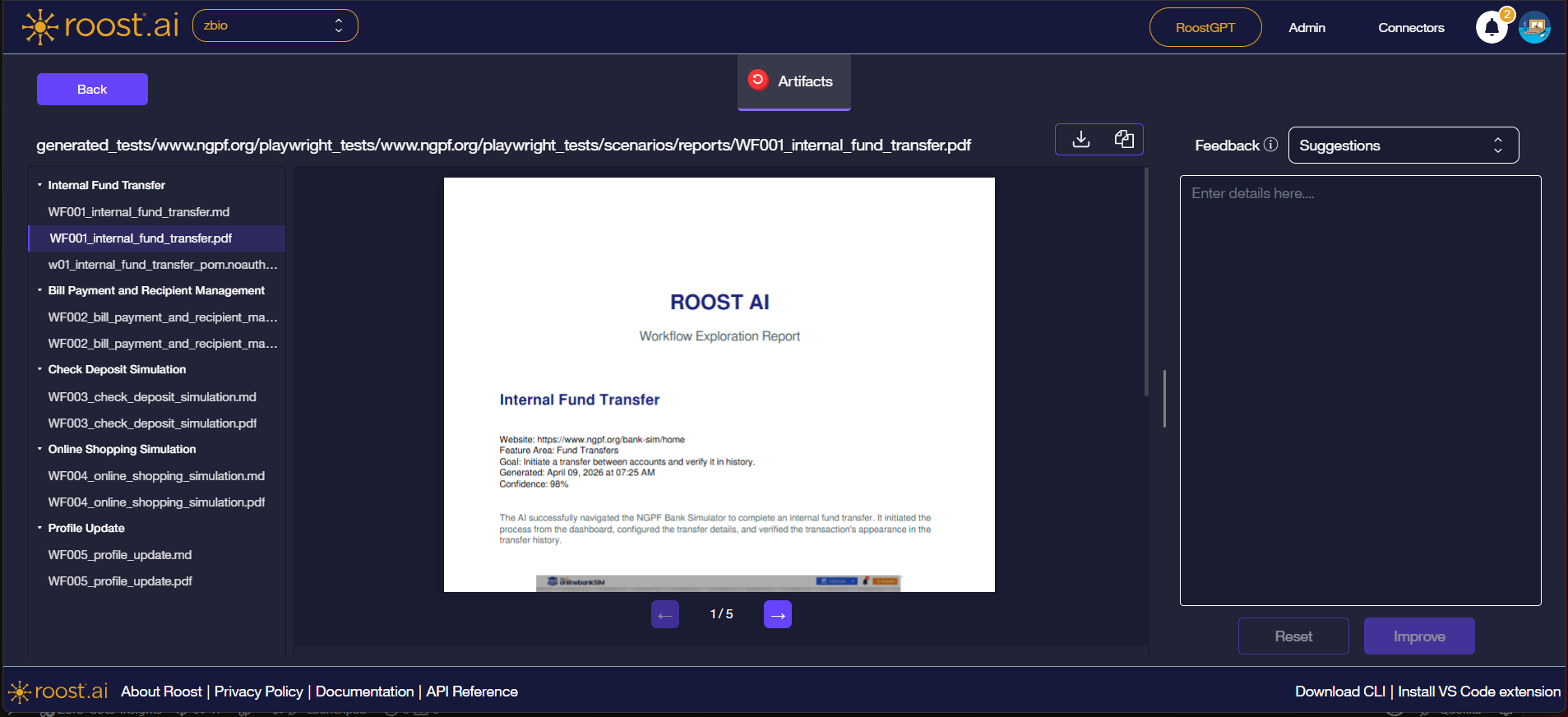
The report includes:
- Cover page with workflow name, website, feature area, goal, generation timestamp, and confidence score
- Step-by-step breakdown of each action the agent took, with screenshots showing the state of the UI at each step
Use the ← / → pagination controls at the bottom of the viewer to navigate pages. Use the Download button to save the PDF locally.
The PDF viewer is read-only. Feedback and improvement options are not available for PDF or .md files.
POM Test File (.spec.js)
Selecting the .spec.js file renders the generated Playwright Page Object Model test in a syntax-highlighted code viewer.
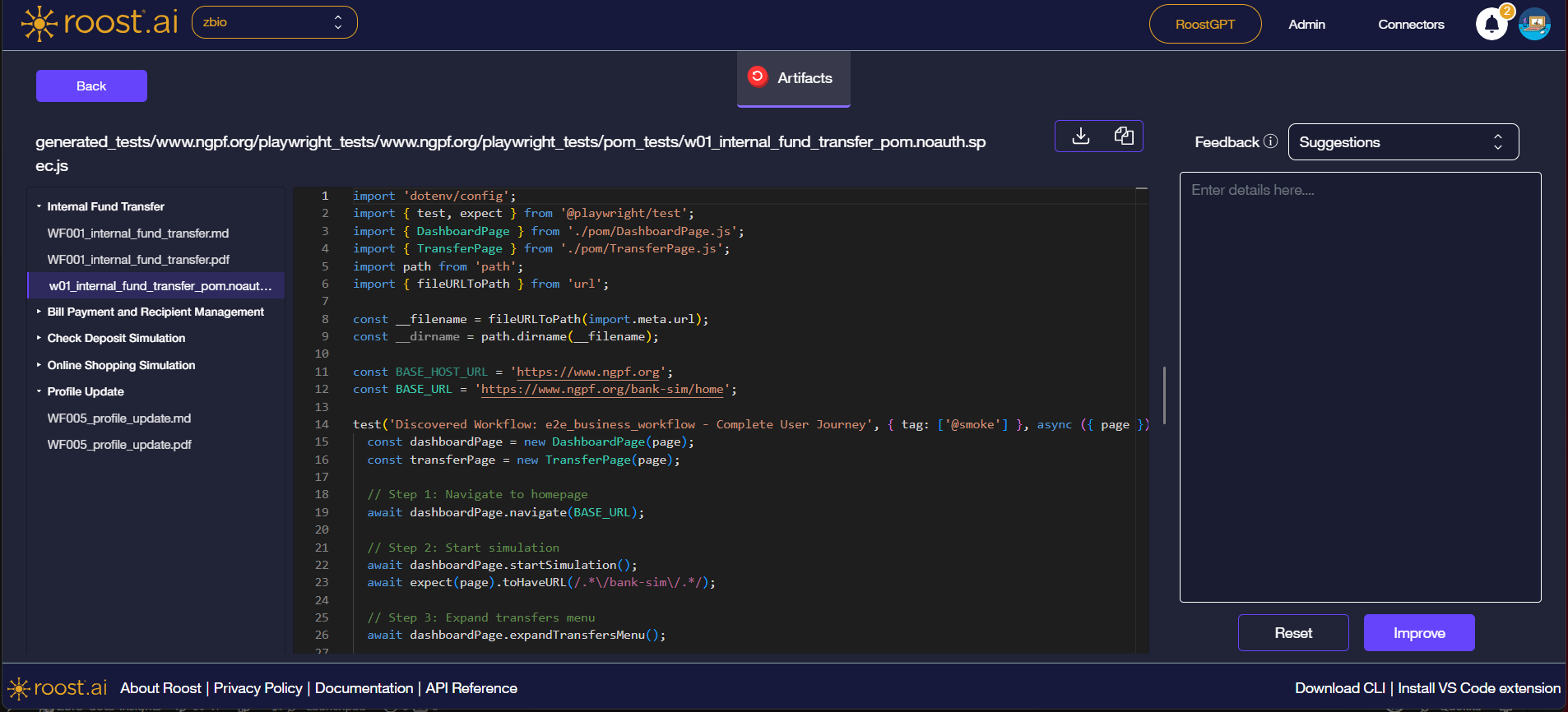
The generated test:
- Imports Page Object classes from the
./pom/directory - Defines a
test()block tagged@smoke - Executes each workflow step using POM methods that map directly to the agent's discovered actions
- Is ready to run in CI without modification
Feedback and Improve
The Feedback panel is available only for .spec.js files. It is not shown when viewing .pdf or .md files. Use it to suggest improvements to the generated test:
| Control | Description |
|---|---|
| Feedback type | Dropdown to select the feedback category — Suggestions or Bug Report |
| Details field | Free-text area to describe the change or issue |
| Improve | Submits the feedback and triggers a regeneration of the file |
| Reset | Clears the feedback form without submitting |