Git Configuration and Tokens
This section covers the setup and configuration of Git repository integrations with RoostGPT. To enable seamless integration between RoostGPT and your code repositories, you'll need to configure access tokens with appropriate permissions for your Git provider. These tokens allow RoostGPT to access your repositories, create webhooks, create PRs and manage test-related operations.
GitHub (Cloud & Enterprise)
GitHub Cloud (github.com)
- Token Type: Personal Access Token (Classic)
- Generation Steps:
You can visit this site to quickly generate token
https://github.com/settings/tokens/new?description=roost-token&scopes=repo,admin:repo_hook,notifications,user
OR
Follow this steps
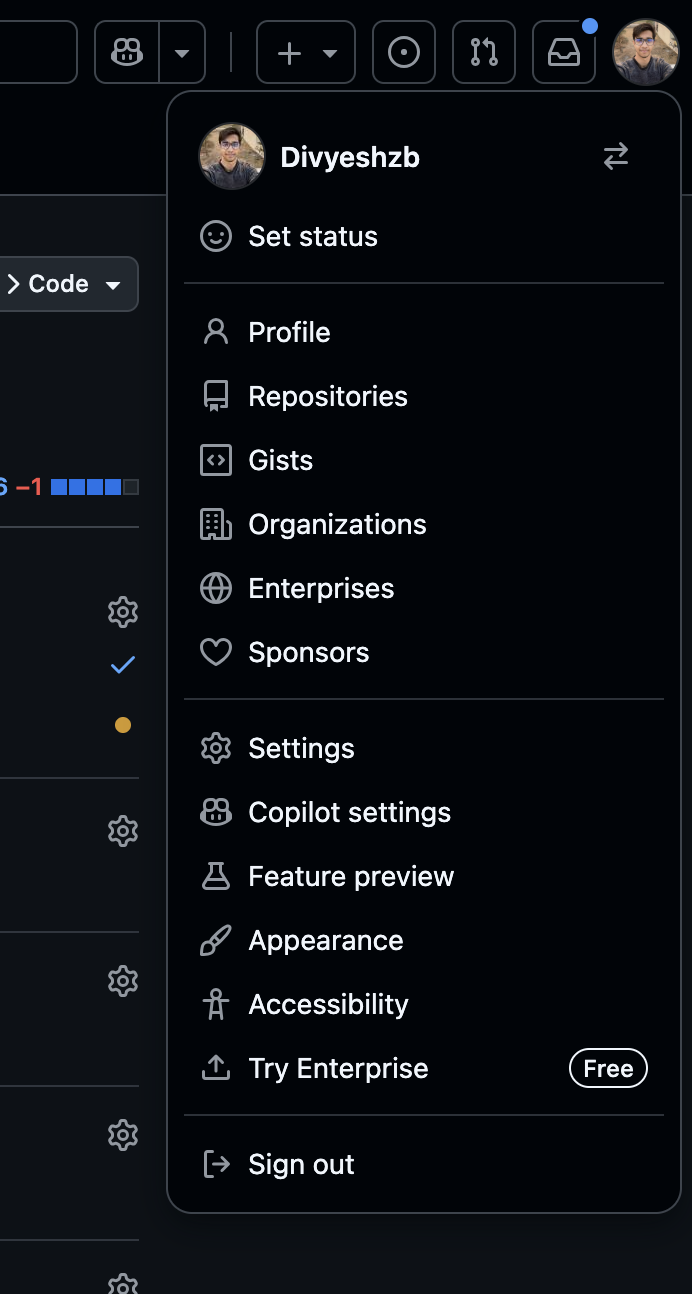
- Go to GitHub Settings → Developer settings → Personal access tokens


- Click "Generate new token" → "Generate new token (classic)"
- Set expiration and select required scopes
- Copy the generated token immediately
- Go to GitHub Settings → Developer settings → Personal access tokens

GitHub Enterprise Server
- Token Type: Personal Access Token
- Generation Steps: Same as GitHub Cloud but on your enterprise instance
- Base URL: Configure your enterprise server URL (e.g.,
https://github.yourcompany.com)
Required Permissions:
repo- Full repository access (read/write to code, issues, PRs)admin:repo_hook- Repository webhook managementnotification- Access notificationsuser- Update ALL user data
Gitlab (Cloud & Self-hosted)
GitLab Cloud (gitlab.com)
- Token Type: Personal Access Token or Project Access Token
- Generation Steps:
You can visit this url directly and generate access Token
https://gitlab.com/-/user_settings/personal_access_tokens?page=1&state=active&sort=expires_asc
OR
Follow this steps
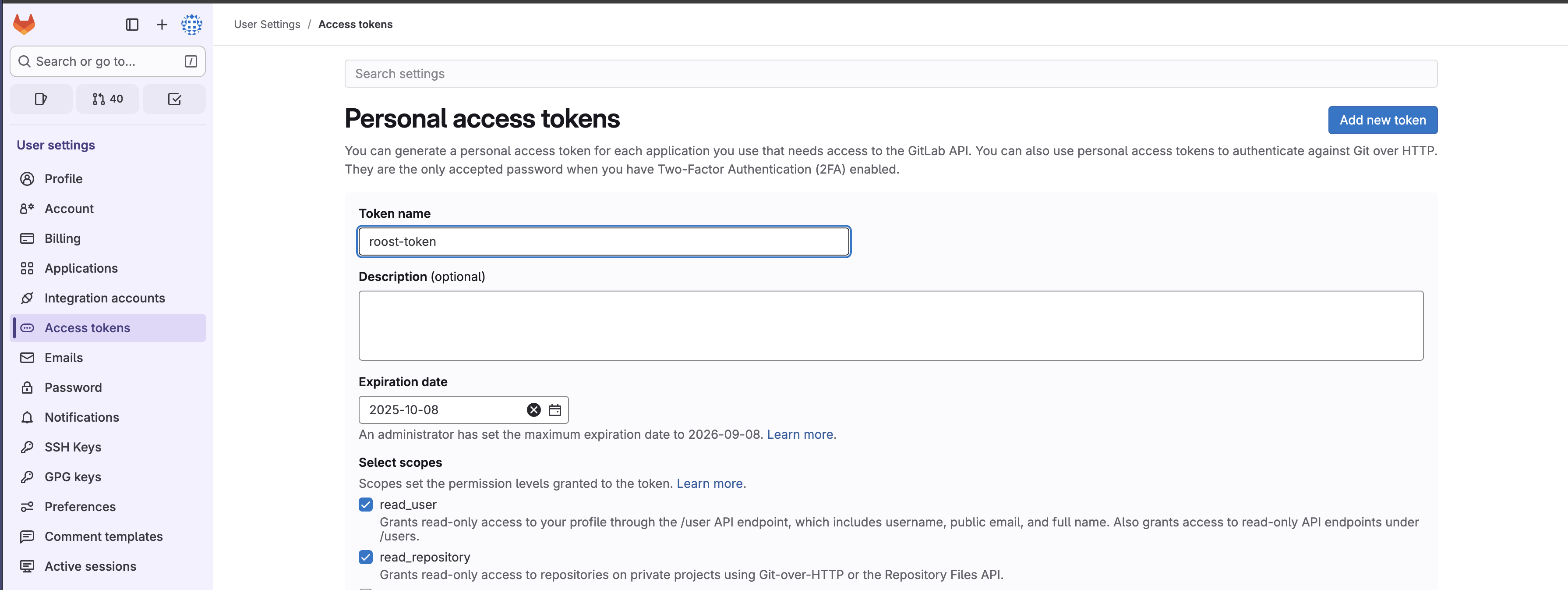
- Go to GitLab Settings → Access Tokens

- Enter token name and expiration date
- Select required scopes
- Click "Create token"
- Go to GitLab Settings → Access Tokens
GitLab Self-hosted
- Token Type: Personal Access Token
- Base URL: Configure your GitLab instance URL
Required Permissions:
api- Complete API accessread_repository- Read repository contentwrite_repository- Write repository contentread_user- Read user informationread_api- Read api information
Azure DevOps
Bitbucket (Cloud & Server)
Bitbucket Cloud (bitbucket.org)
- Token Type: App Password or Repository Access Token
- Generation Steps:
Use this link to directly generate App Password
https://bitbucket.org/account/settings/app-passwords/new
OR
Follow this steps
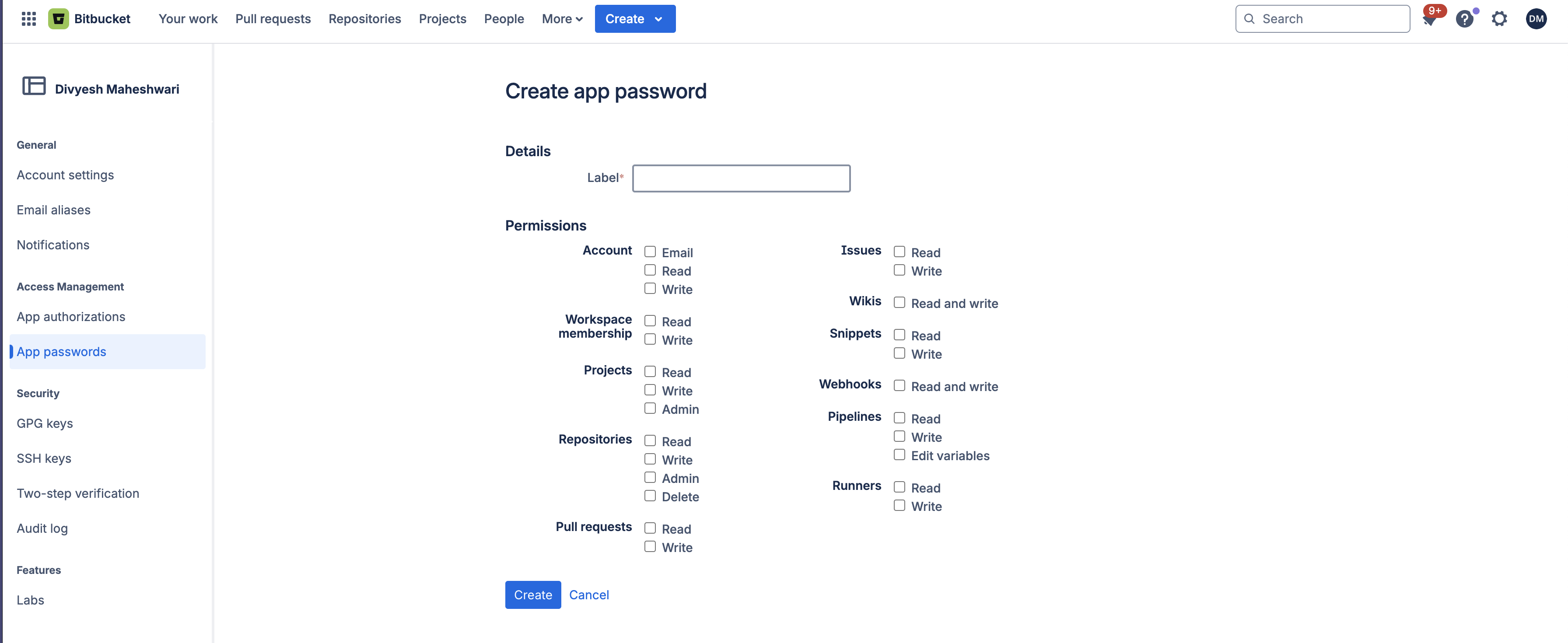
- Go to Bitbucket Settings → App passwords

- Create label and select permissions
- Click Create
- Go to Bitbucket Settings → App passwords
Bitbucket Server/Data Center
- Token Type: Personal Access Token
- Base URL: Configure your Bitbucket server URL
Required Permissions:
Account (Read)- Account InformationRepositories (Read & Write)- Repository accessWebhooks (Read & Write)- Webhook managementPull Requests (Read & Write)- Pull request managementProjects (Read & Write)- Project information access