OpenAI
Step-by-Step Token Generation
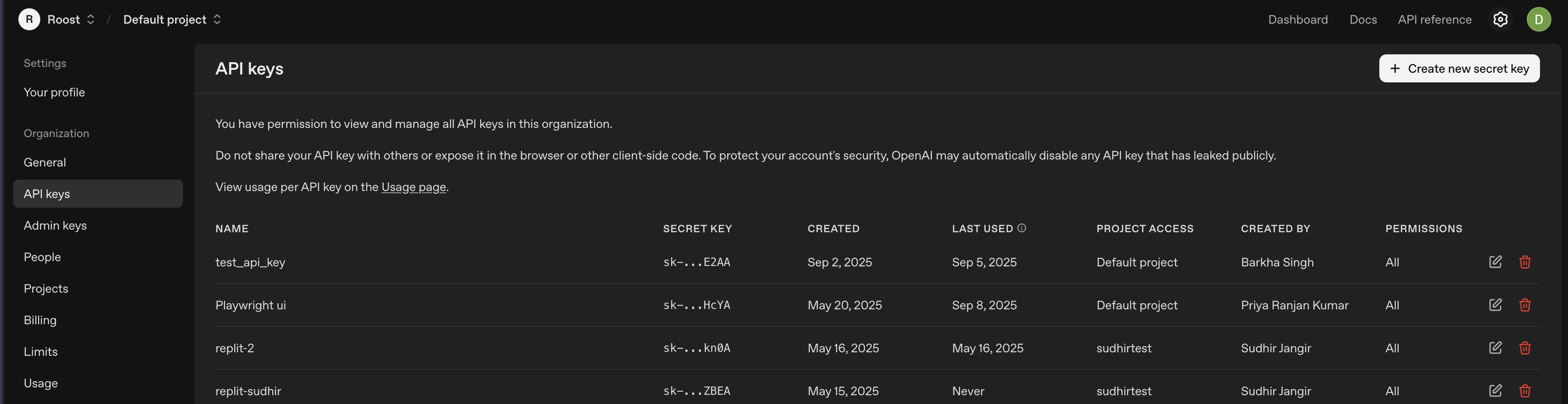
- Access API Keys Section
- Log into OpenAI Platform
- Navigate to API Keys in the left sidebar

- Click "Create new secret key"
- Configure Key Settings
- Name: Enter descriptive name (e.g., "RoostGPT Production")
- Permissions: Select "All"
- Project: Choose specific project (if using project-based organization)
- Click "Create secret key"
- Secure Key Storage
- Copy immediately: Key shown only once
OpenAI Recommended Models for RoostGPT Integration
GPT-4o (Primary Recommended)
- Model Name:
gpt-4o - Context Window: 128K tokens
- Pricing: ~$2.50/1M input tokens, ~$10/1M output tokens
- Best For: Primary choice for all RoostGPT tasks - reliable, proven performance
- Key Features:
- Multimodal capabilities (text, images, code)
- Well-tested and stable in production
- Excellent code understanding and generation
- Strong performance across diverse tasks
- Widely adopted and documented
GPT-5 (Advanced Alternative)
- Model Name:
gpt-5 - Context Window: 272K tokens GPT-5: Key characteristics, pricing and model card
- Pricing: $1.25/1M input tokens, $10/1M output tokens Introducing GPT‑5 for developers | OpenAI
- Best For: Complex reasoning tasks, advanced code analysis
- Key Features:
- Built-in reasoning capabilities Introducing GPT-5 | OpenAI
- Enhanced coding performance Introducing GPT‑5 for developers | OpenAI
- Larger context window for complex codebases
- Latest generation technology
GPT-4.1 (Balanced Option)
- Model Name:
gpt-4.1 - Context Window: Similar to GPT-4o
- Pricing: Competitive with GPT-4o
- Best For: Enhanced performance when GPT-4o needs upgrade
- Key Features:
- Improved over GPT-4o baseline
- Good balance of cost and capability
- Reliable for standard development tasks