Azure OpenAI
Step-by-Step Token Generation
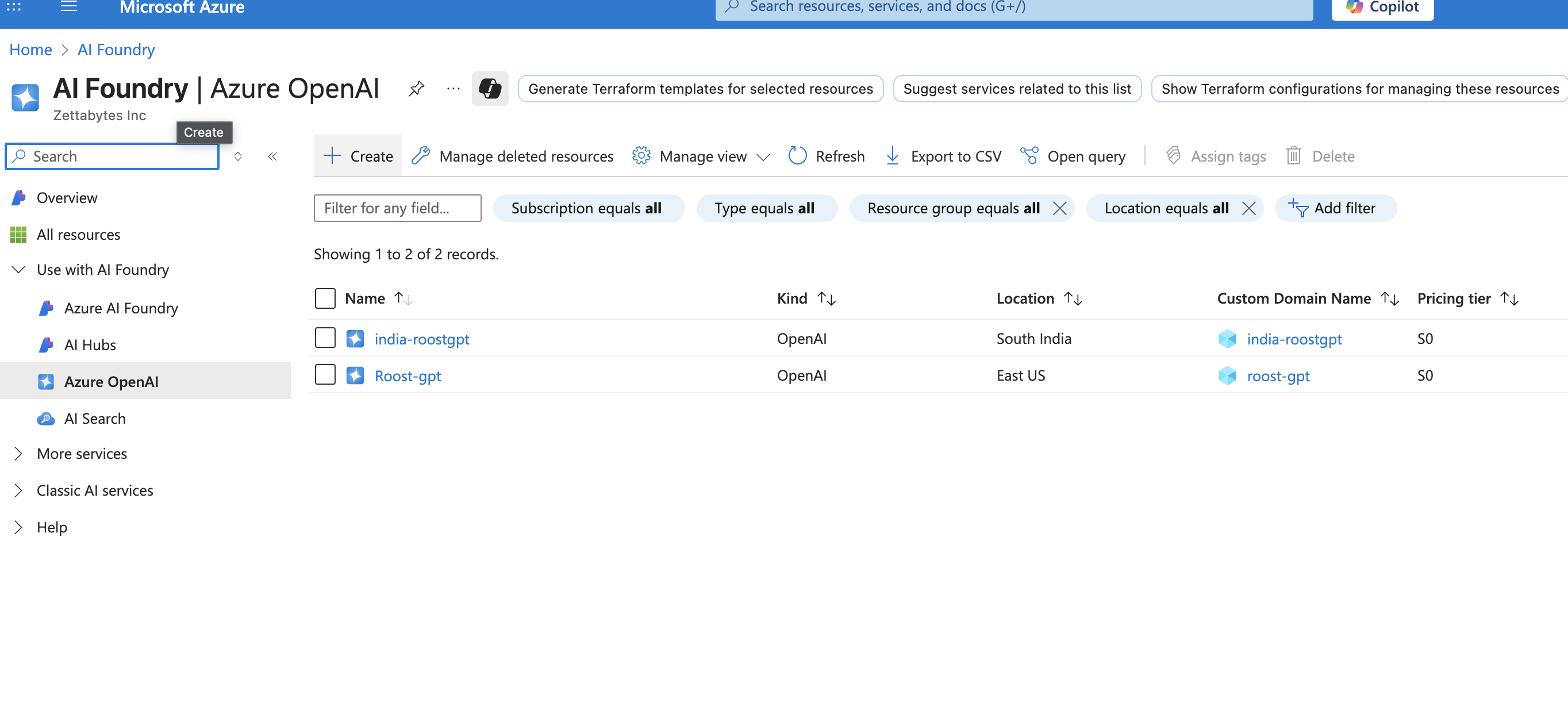
1. Create Azure OpenAI Resource
- Log into Azure Portal
- Search for "Azure OpenAI" in the top search bar
- Click "Create" → "Azure OpenAI"

- Configure:
- Subscription: Select your Azure subscription
- Resource Group: Create new or select existing
- Region: Choose supported region (e.g., East US, West Europe)
- Name: Enter unique name (e.g., "roostgpt-openai-prod")
- Pricing Tier: Select Standard S0
2. Deploy Models to Resource
3. Access API Keys and Endpoint
- In your Azure OpenAI resource, navigate to "Keys and Endpoint"
- Copy KEY 1 or KEY 2
- Copy the Endpoint URL (format:
https://your-resource.openai.azure.com/) - Important: Store both key and endpoint securely
4. Secure Key Storage
- Copy immediately: Keys are always visible but treat as sensitive
- Store endpoint URL and API key together
Azure OpenAI Recommended Models for RoostGPT Integration
GPT-4o (Primary Recommended)
- Model Name:
gpt-4o(deployment name as configured) - Context Window: 128K tokens
- Pricing: ~$2.50/1M input tokens, ~$10/1M output tokens
- Deployment Required: Yes - must deploy to your Azure resource
- Best For: Primary choice for all RoostGPT tasks - reliable, proven performance
- Key Features:
- Multimodal capabilities (text, images, code)
- Enterprise-grade security and compliance
- Data residency control
- Excellent code understanding and generation
- Integration with Azure ecosystem
GPT-4o-mini (Cost-Effective Option)
- Model Name:
gpt-4o-mini(deployment name as configured) - Context Window: 128K tokens
- Pricing: ~$0.15/1M input tokens, ~$0.60/1M output tokens
- Deployment Required: Yes
- Best For: High-volume, cost-sensitive tasks
- Key Features:
- Significantly lower cost than GPT-4o
- Good performance for standard tasks
- Fast response times
- Suitable for basic test generation